
 Submit Ticket

The Affiliate Dashboard allows you to easily monitor your players’ activities and keep track of your earnings.
Affiliate Dashboard
1. The Affiliate Dashboard displays your commission earned from the previous day.
2. Commissions are updated daily. To see the latest earnings from your players’ wins or losses today, you’ll need to check the following day.
3. The dashboard shows an estimated commission amount. The final commission is based on the settled amount labeled as “Available,” which is released every Wednesday.
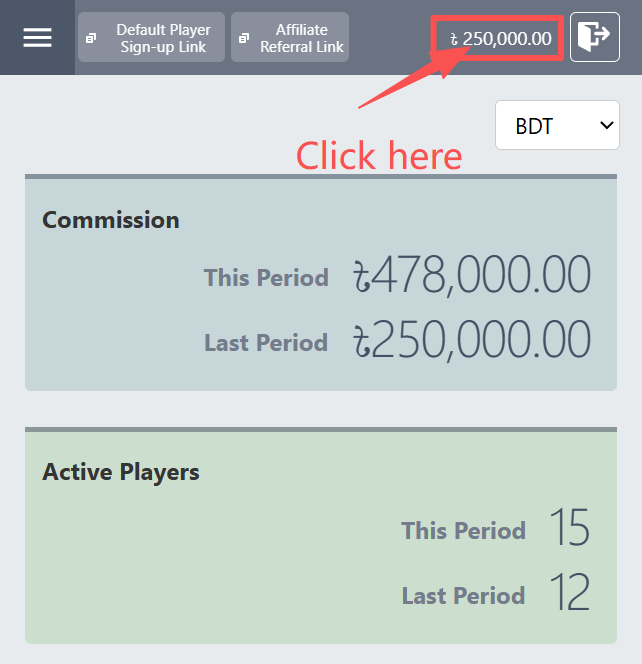
Commission:
This Period = This week’s commission.
Last Period = Last week’s commission.
Active Players :
This Period = Active players for this week.
Last Period = Last week’s active players.
Why isn’t my commission appearing?
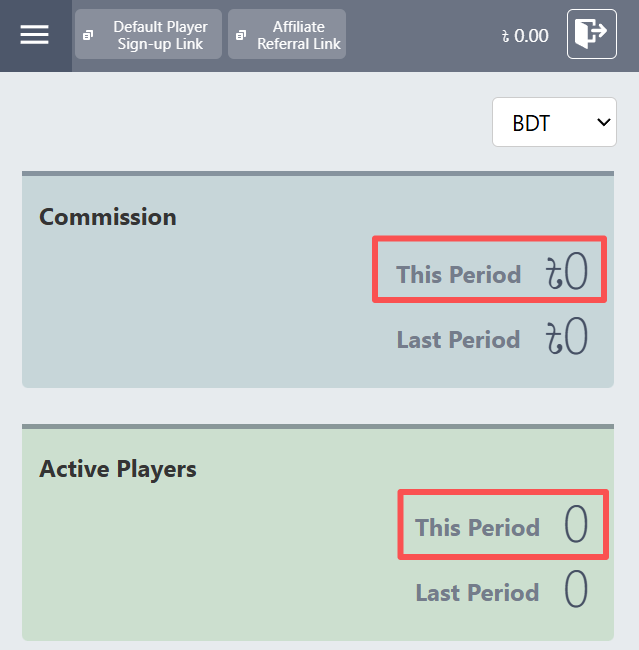
Your commission may not be displayed for one of two reasons:
1. You won’t earn a commission if your players win their bets.
2. Today, your players started losing their bets, turning your account from negative to positive. The commission will be updated accordingly, and you’ll be able to view it tomorrow.
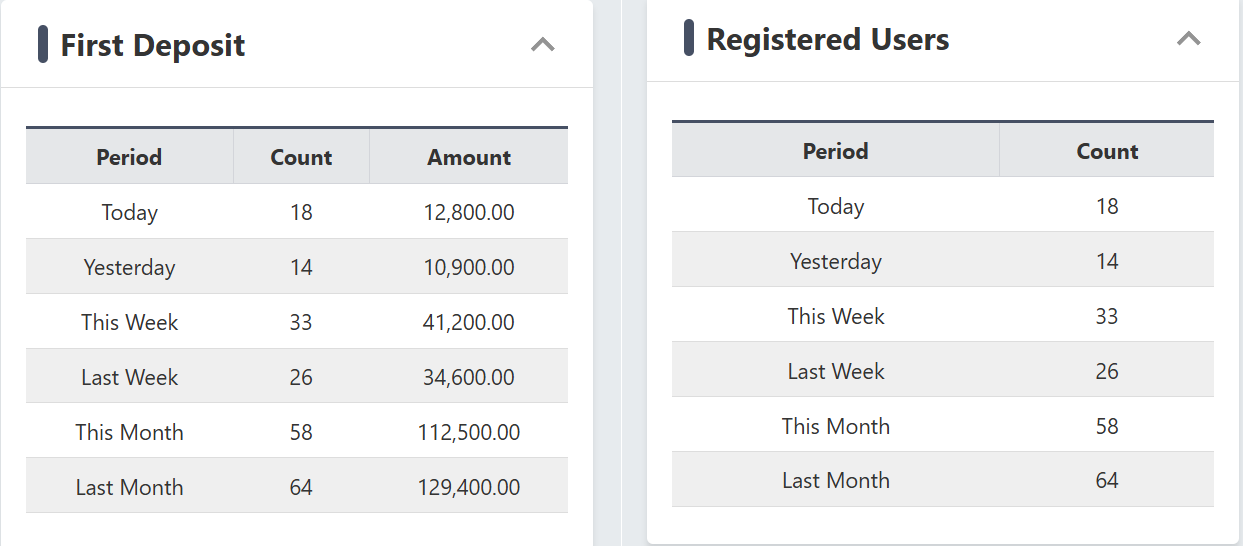
Registered User and First Deposit
1. You can track the number of newly registered players who have made their first deposit here.
Deposits and Withdrawals
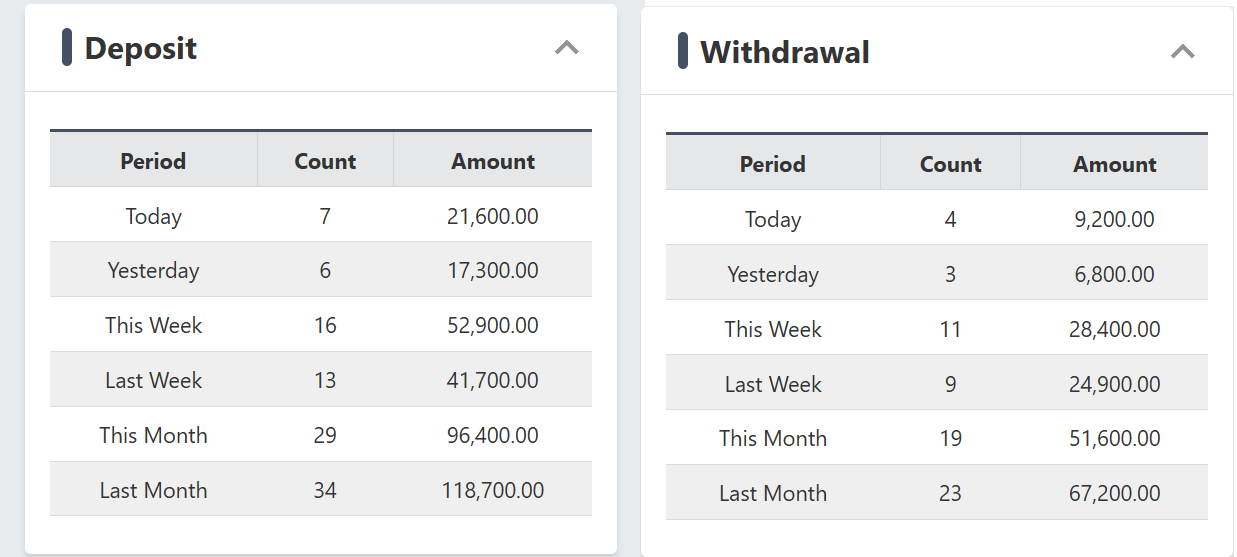
1. The total deposits and withdrawals made by all your players are shown under the Deposits and Withdrawals sections.
2. Affiliate commissions are not affected by players’ deposits or withdrawals.
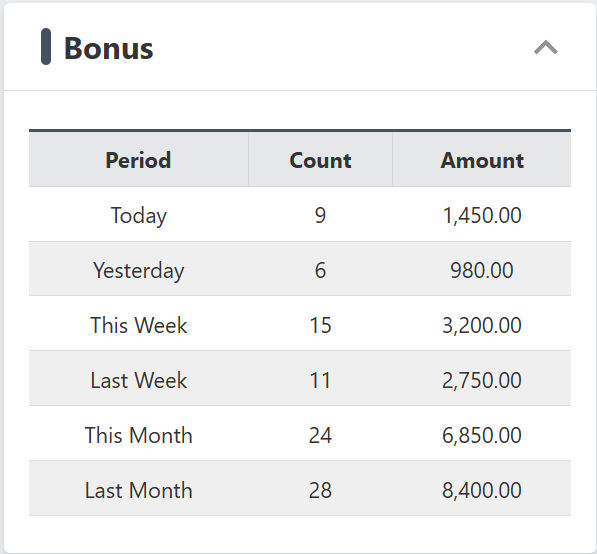
Player Bonus
1. The Bonus Dashboard shows all the bonuses claimed by your players.
2. Affiliates do not earn any bonus or extra revenue from this. The Affiliate Commission is calculated after subtracting the bonus.
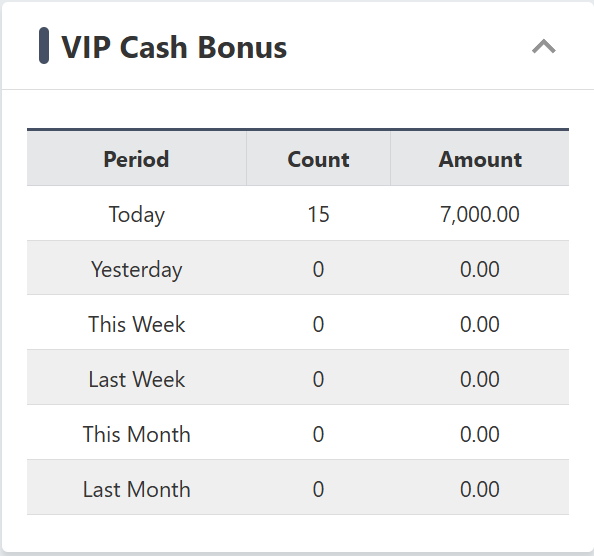
VIP Cash Bonus
1. The dashboard displays the total VIP points your players have converted into cash.
2. This does not count as an affiliate bonus or extra revenue. The Affiliate Commission is calculated after this bonus has been deducted.
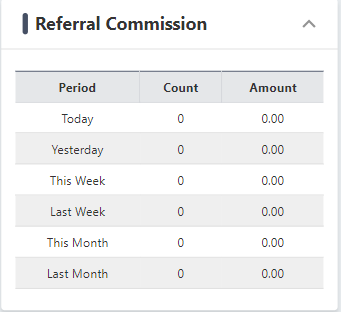
Referral Commission
1. These are the bonus commissions your players receive when they use the refer-a-friend code to recruit new gamers.
2. This bonus commission does not affect the Affiliate’s earnings.
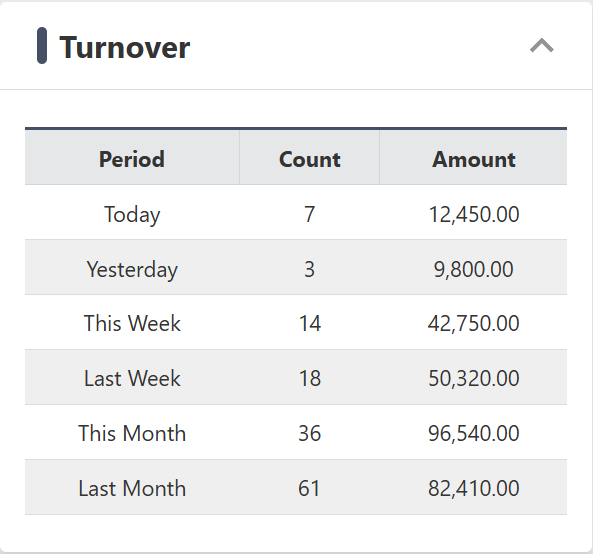
Turnover
1. The dashboard shows the total amount of money each of your players has wagered.
2. This turnover does not influence the affiliates’ commission.
Affiliate Profit & Loss
1. The dashboard shows the total profit and loss for each of your players.
2. If the amount is positive and shown in black, it means your players are losing their bets. You earn a commission from their losses.
3. If the amount is negative and shown in red, it means your players are winning their bets. You will not earn a commission on these wins. Any negative balance will be carried over to the following week(s) if your account remains negative at the end of the commission period.
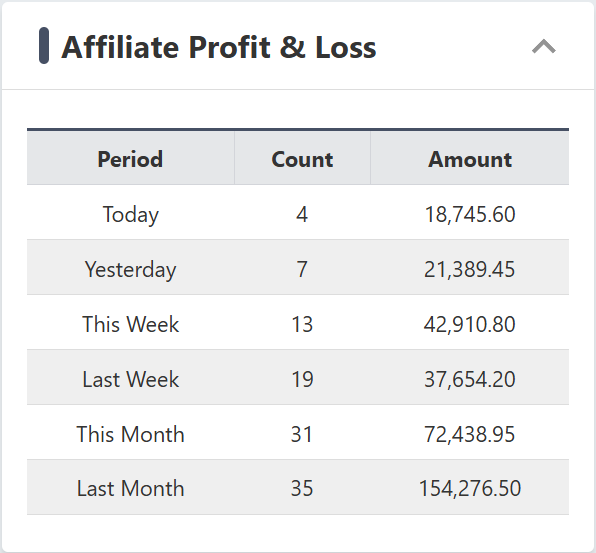
Note: Profit and loss should not be used as the basis for calculating affiliate commission. The commission should be determined by looking at the entire net profit, which is not clearly visible from the dashboard. To find out more about how your commission is determined, go here.
