 Submit Ticket

How to get my affiliate link and recruit new players?
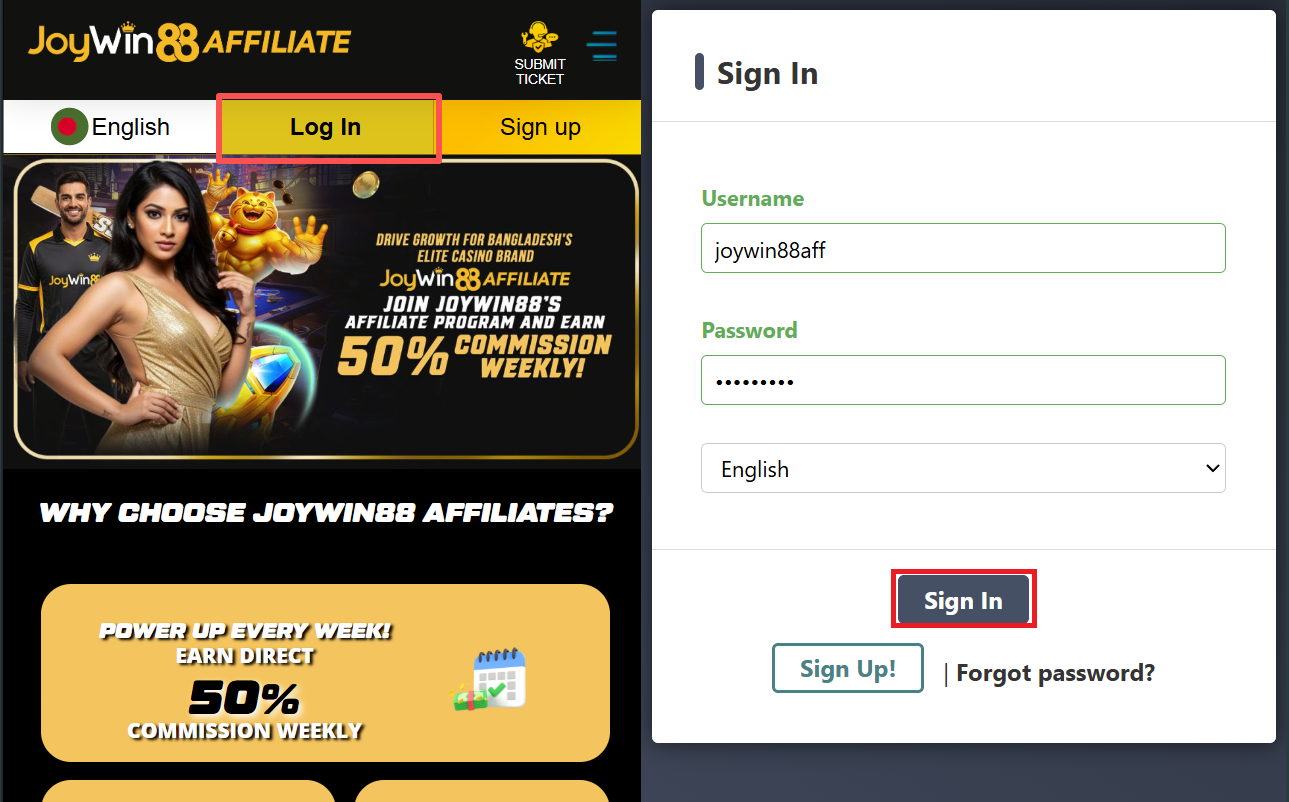
1. Log in to access your Affiliate Account.
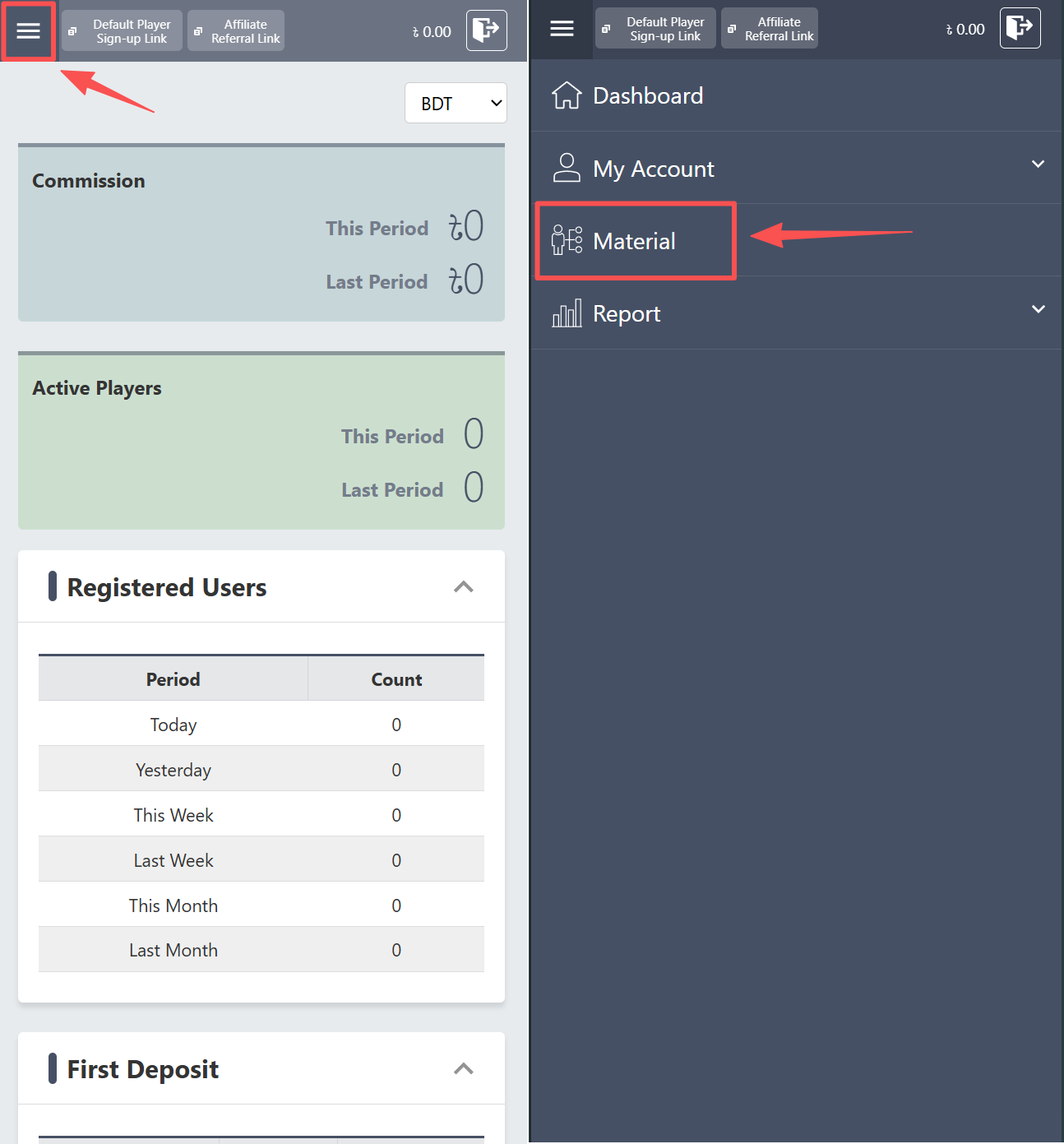
2. Click the menu button, then select “Material.”
3. Click the “Action” button to copy your link.
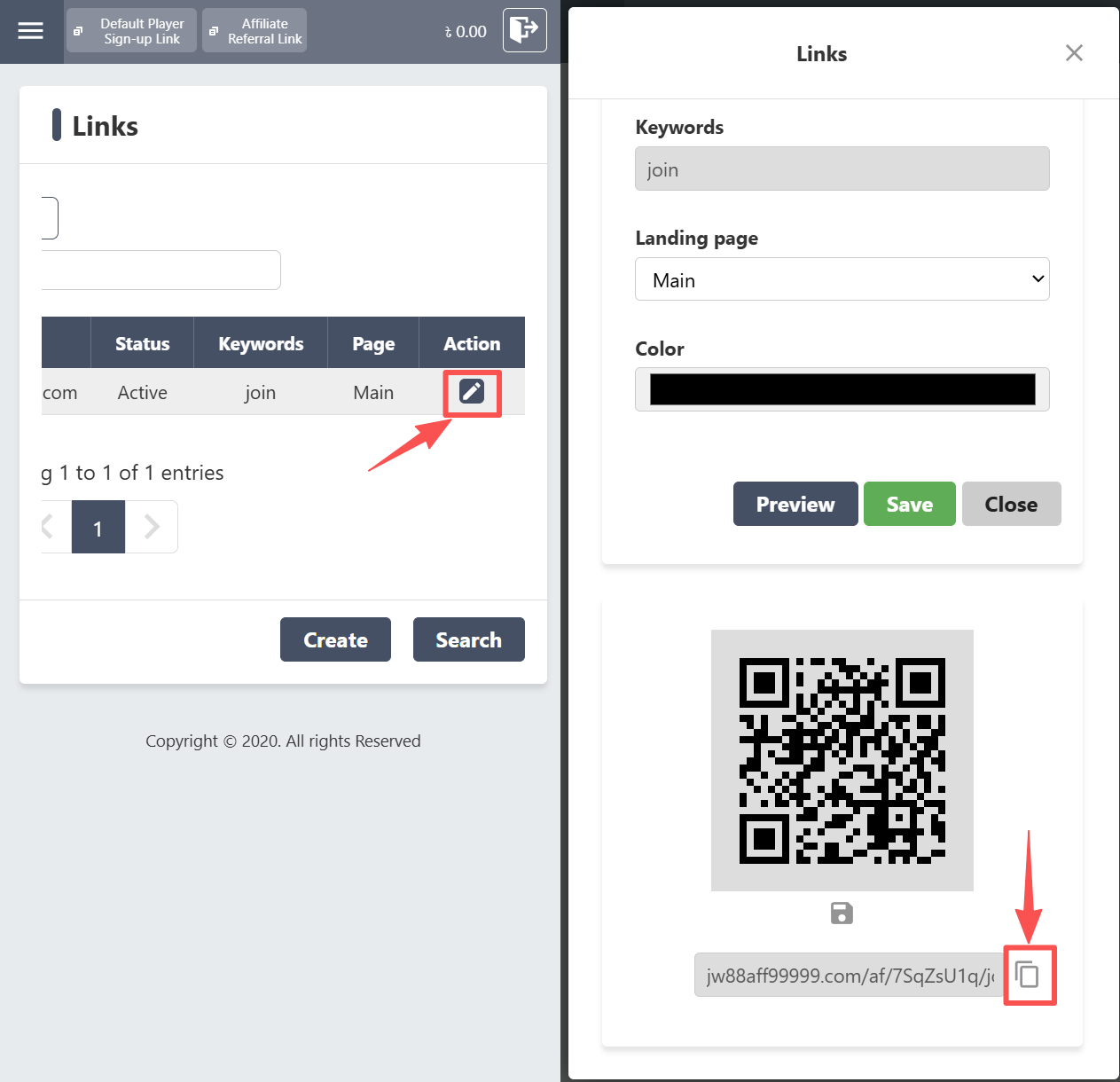
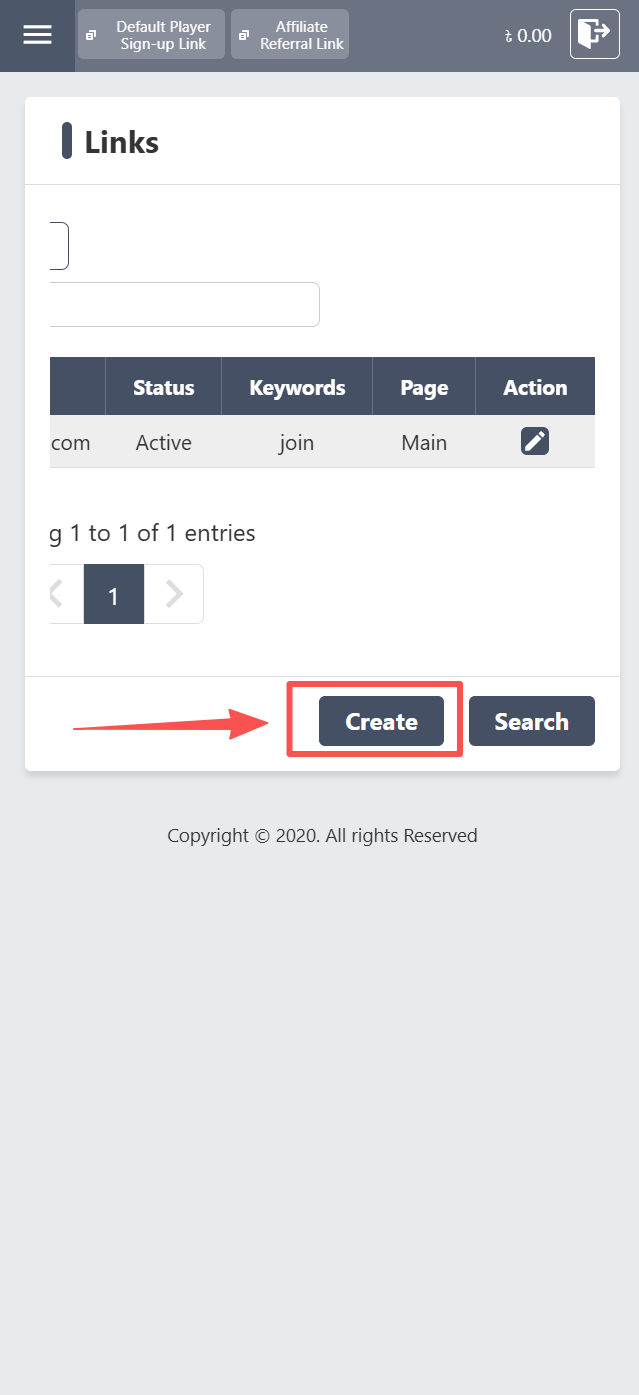
4. Click the “Create” button to quickly generate a new affiliate link using your preferred keywords.
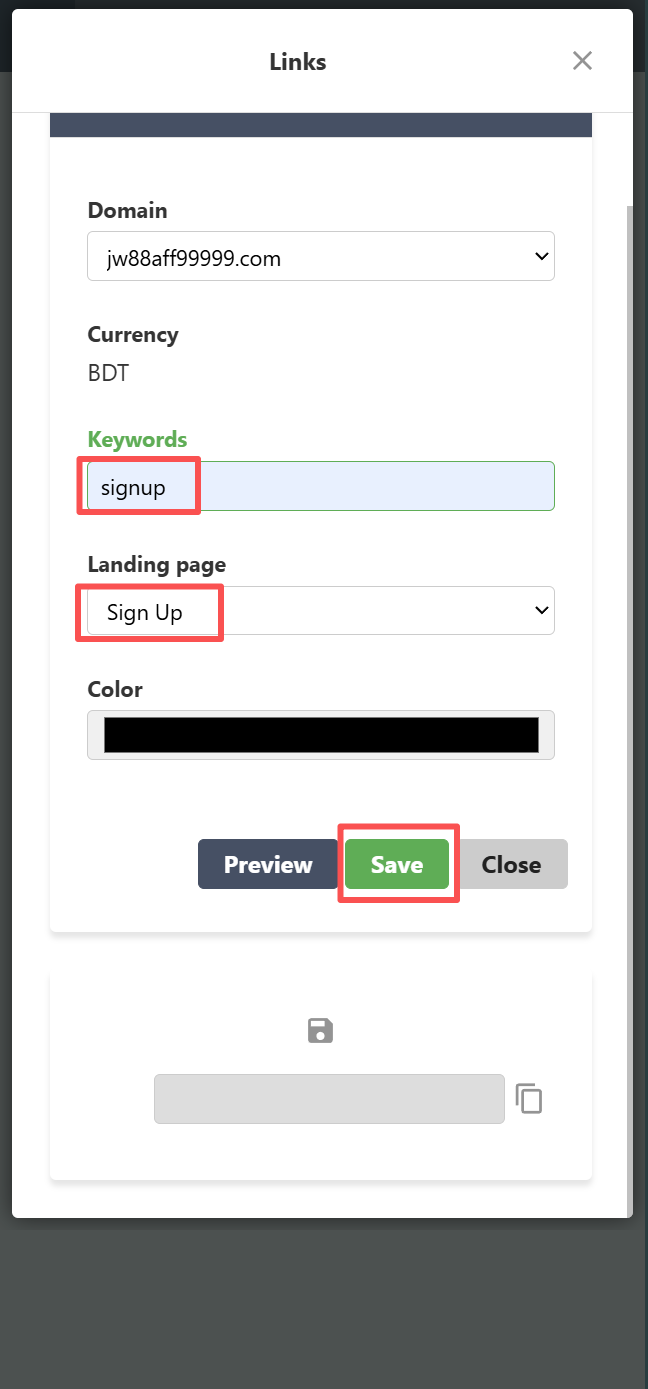
5. Make sure there are no spaces before the keyword. Once you’re done creating your affiliate link, click “Save”.
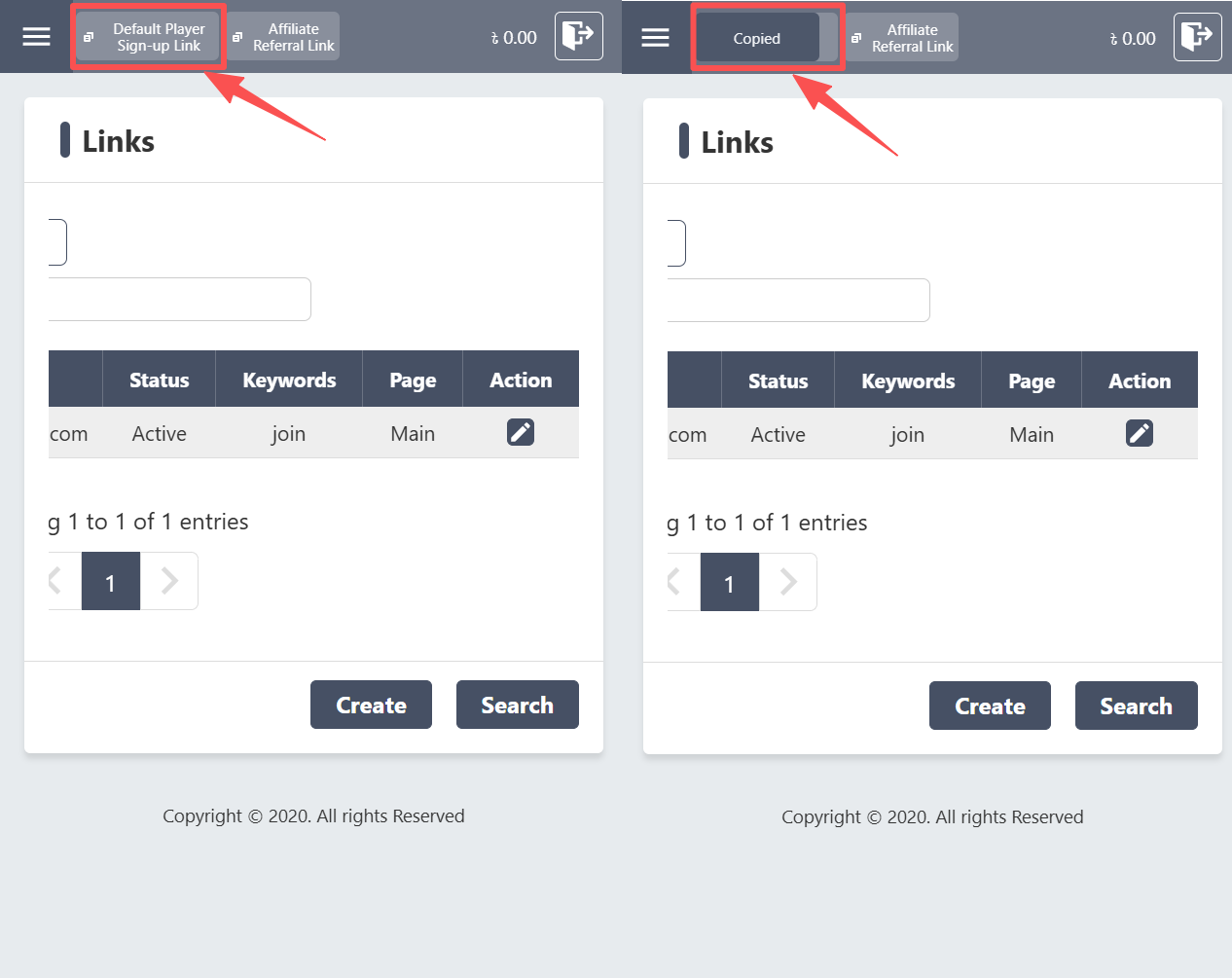
6. Simply click the default link to quickly copy it.
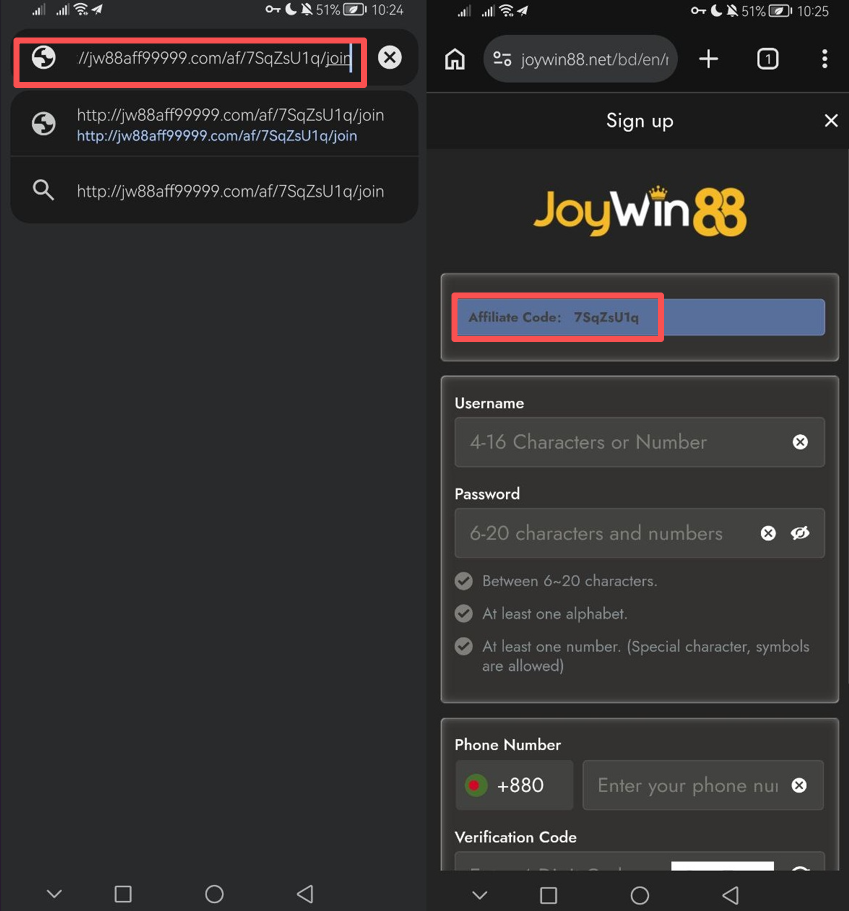
7. Send the link to your friends so they can register for a player account. Your affiliate code will be automatically filled in on the sign-up form.
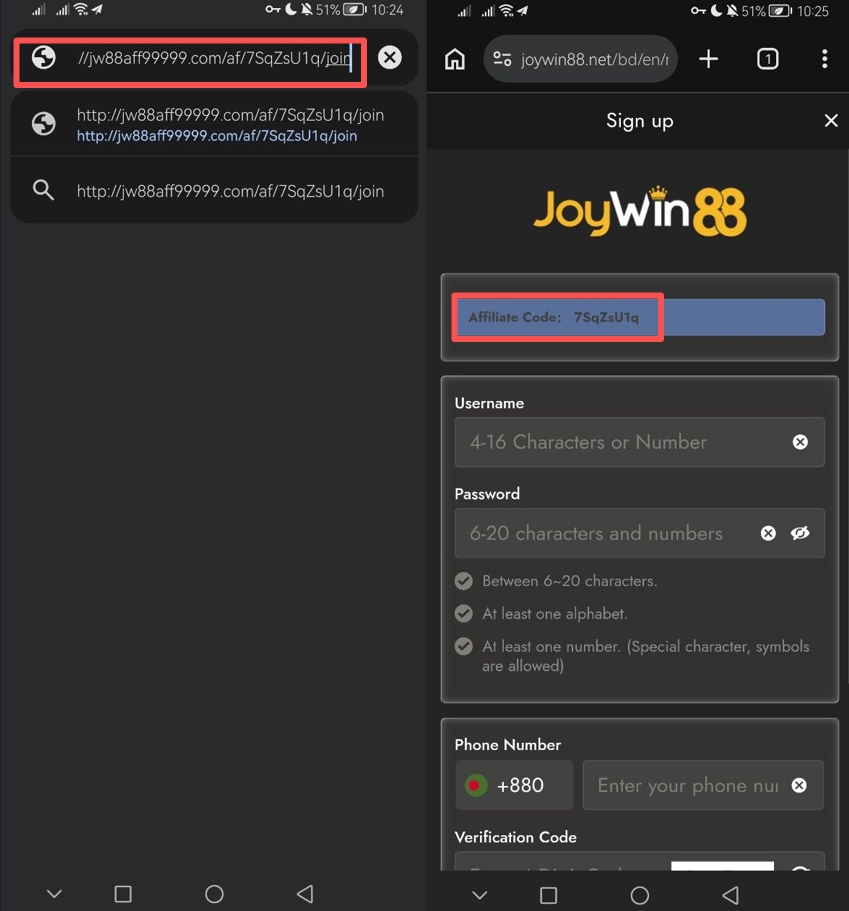
Note: Before you can finish the sign-up, your affiliate code must show up. Please ask your player to erase their browsing history before registering a player account if the code is not visible or is not displayed at all.
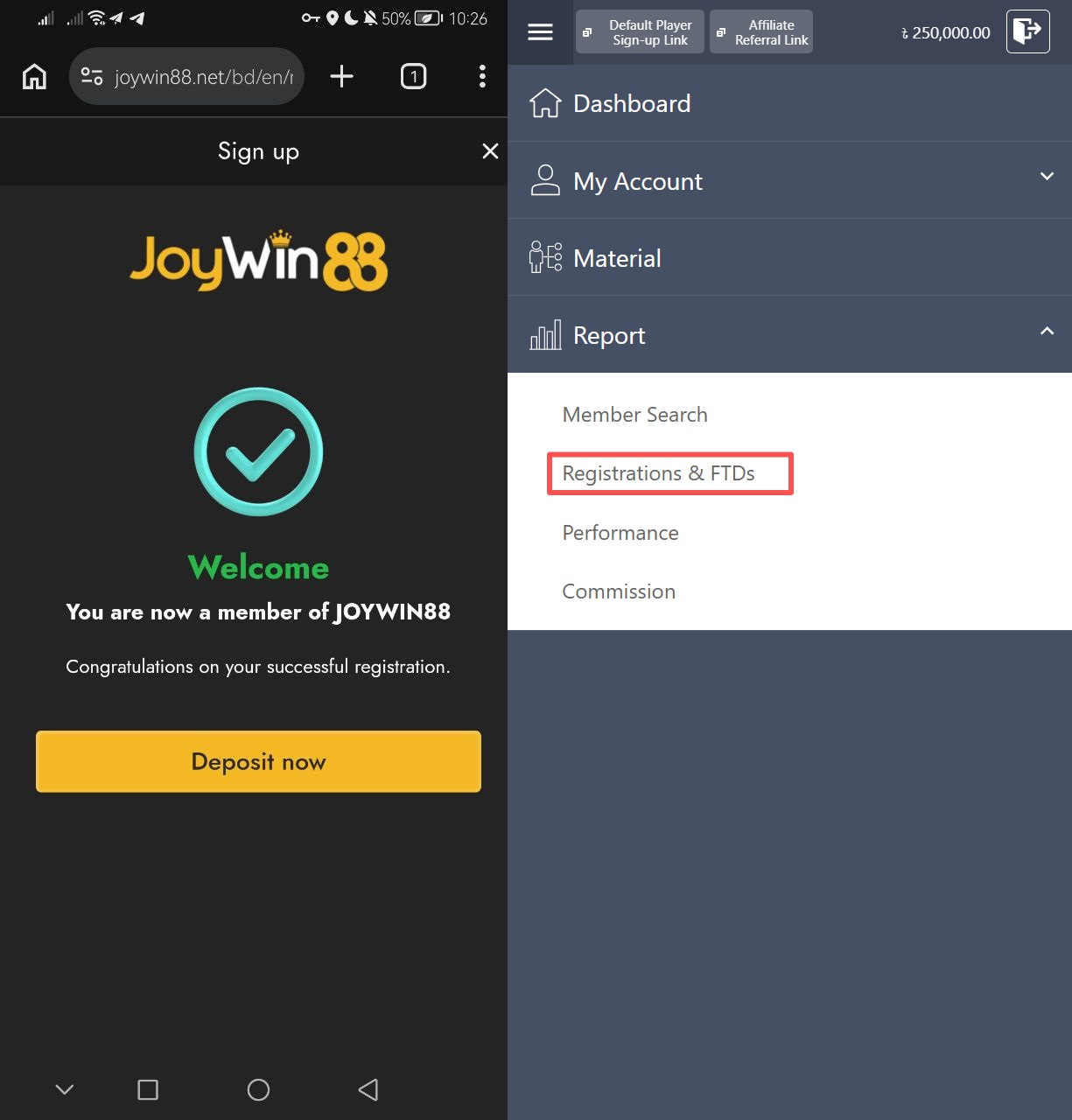
8. After the player successfully creates their account, you can log in to your affiliate account to confirm that they are registered under you.
HOW TO DELETE BROWSING HISTORY?
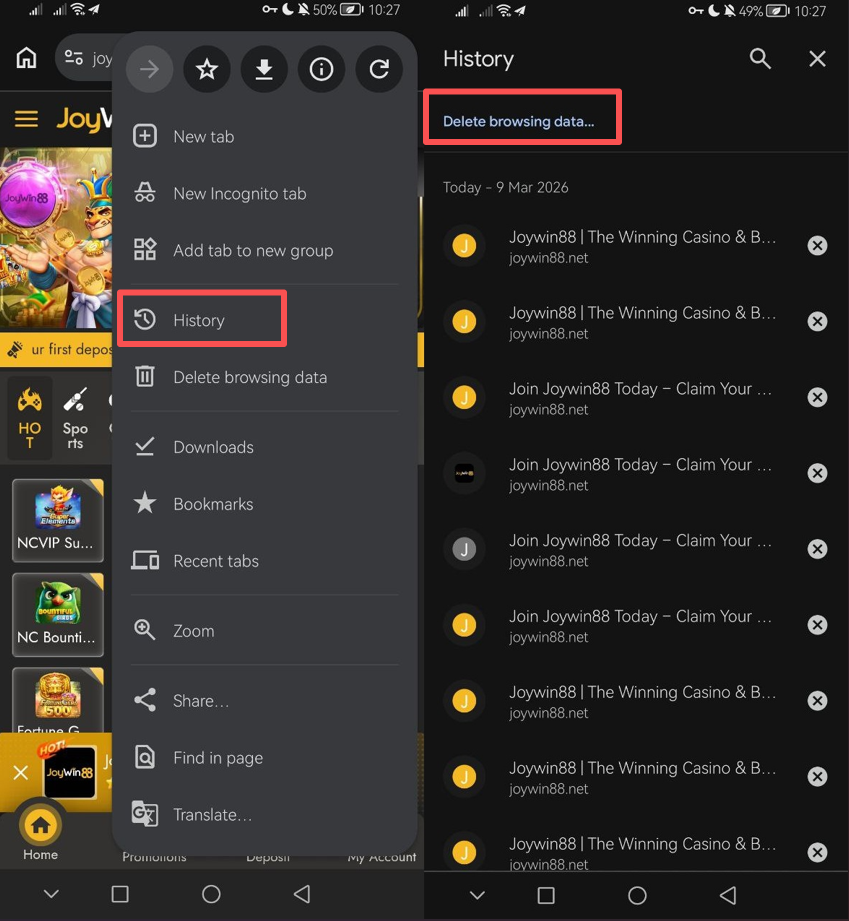
1. Open your browser, go to History, and then select Delete browsing data.
2. Choosing “All the time” will clear your entire browsing history.
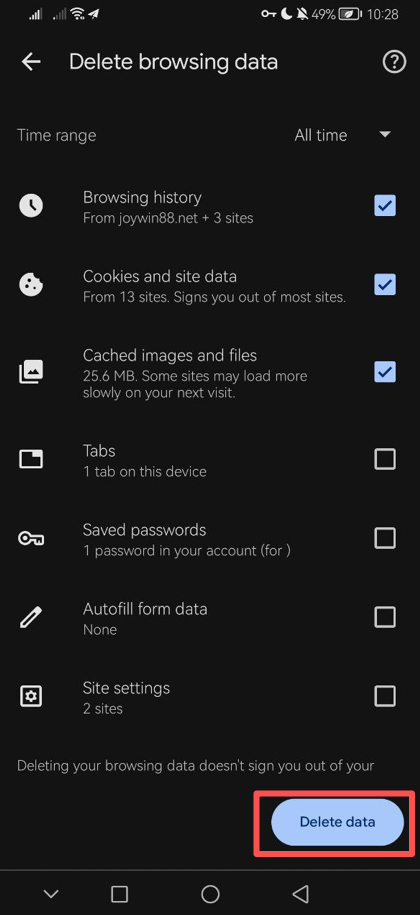
3. After clearing all browsing history, your player can try signing up for a player account again through your affiliate link.